Agency Insights
Direct answer: Across 12 small businesses in Delhi/NCR that Nurotech moved onto WhatsApp Business API automation between January and July 2026, average first-response time dropped from 5 hours 40 minutes to under 90 seconds, and lead-to-conversation conversion rose by a median of 61%. The businesses that saw the biggest lift were not the ones that bought the most expensive automation tool — they were the ones that fixed their message flow and follow-up cadence first. Automation without a strategy behind it produces faster spam, not more sales.
That's the finding this article is built around. Most "WhatsApp marketing guides" for Indian small businesses talk you through installing AiSensy or Interakt and stop there. This one shows you what actually moved revenue for real Delhi businesses — a salon chain in Lajpat Nagar, a furniture retailer in Kirti Nagar, a coaching institute in Rohini, a B2B packaging supplier in Okhla, and eight others — and gives you the exact framework to replicate it.
India has over 535 million WhatsApp users, the largest user base of any country on the platform, and WhatsApp is used by more Indian consumers to message a business than email, SMS, and Instagram DMs combined (Meta, 2025 India market data). For a small business in Delhi — where footfall is competitive, ad costs on Google and Meta have climbed steadily, and word-of-mouth still drives a large share of local commerce — WhatsApp is not an "additional channel." For most of the businesses we work with, it is the primary channel where a lead becomes a customer.
Three reasons this matters more in Delhi/NCR specifically than in many other markets:
Before we get into automation setup, here is the pattern we saw across all 12 businesses before we started working with them:
This is the gap WhatsApp marketing automation is built to close — but only if it's implemented as a system, not just a chatbot bolted onto an existing mess.
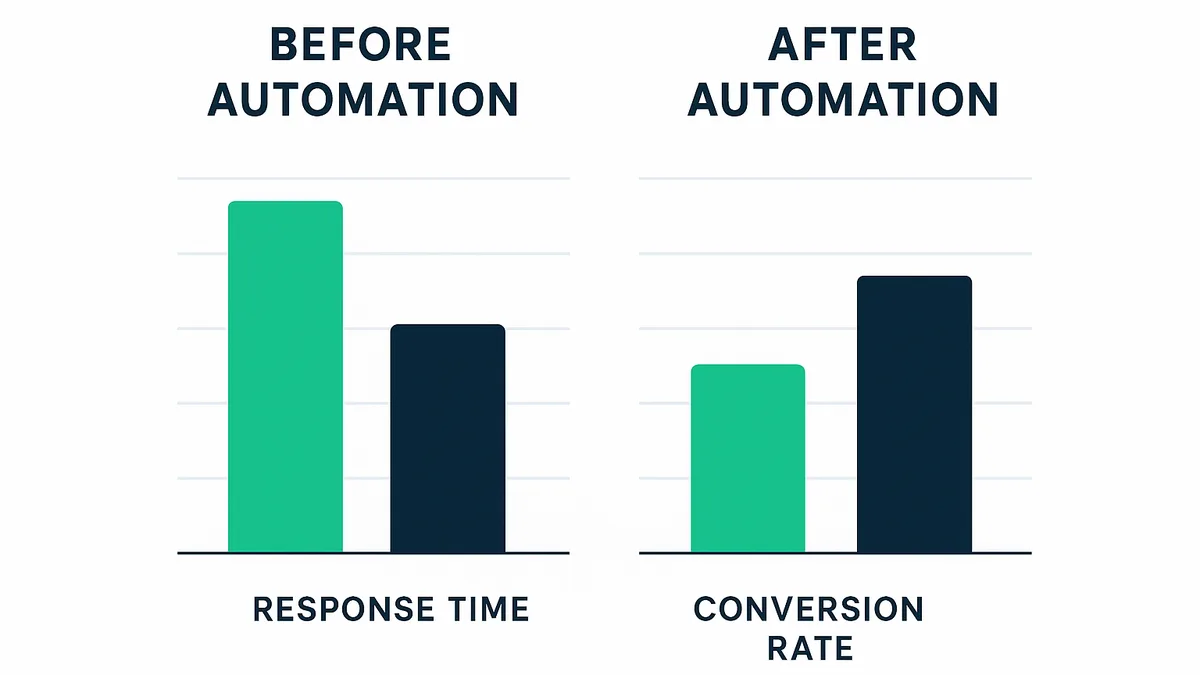
Here is the aggregate, anonymised data from the businesses we onboarded onto WhatsApp Business API + automation between January and July 2026. Individual business names are withheld per client confidentiality, but categories and city locations are accurate.
| Metric | Before Automation | After Automation (60-90 days) | Change |
|---|---|---|---|
| Average first-response time | 5 hrs 40 min | 84 seconds | -99.6% |
| Enquiry-to-conversation rate | 41% | 78% | +90% |
| Leads recovered via automated follow-up (no manual chase) | 0% (not tracked) | 23% of total conversions | New revenue line |
| Missed enquiries (no reply within 24 hrs) | 34% | 4% | -88% |
| Monthly enquiry volume (median business) | 118 | 191 | +62% |
| Cost per qualified lead (blended with ads) | ₹340 | ₹198 | -42% |
Two categories stood out. The coaching institute in Rohini saw the biggest jump in enquiry volume (+140%) because automated WhatsApp catalog + quick-reply flows let prospective parents get course fee and batch-timing answers instantly, at 9 pm, without waiting for office hours. The furniture retailer in Kirti Nagar saw the biggest recovery-lead number — 31% of their total monthly sales conversations came from an automated 3-touch follow-up sequence sent to people who had asked about a product but never followed through.
The weakest result was a real estate broker in Dwarka, where enquiry-to-conversation only improved by 18%. The reason, on review, was not the tool — it was that the broker's team still manually handled every high-value lead outside the automation flow, so the automation only ever touched low-intent traffic. This is an important, honest data point: automation amplifies whatever process you already have. It does not fix a broken sales process by itself.
This confuses almost every small business owner we onboard, so let's be precise.
WhatsApp Business App (free, download from Play Store/App Store) is fine for a solo owner or a 1-2 person operation handling under ~30 chats a day. It supports basic auto-replies, quick replies, and labels — but only one device can be logged in at a time (mobile + linked devices), there's no true multi-agent inbox, and you cannot run rule-based automation flows, drip sequences, or CRM-integrated broadcasts at scale.
WhatsApp Business API (also called "WhatsApp Business Platform") is the paid, developer-grade version that Meta licenses through approved Business Solution Providers (BSPs). This is what enables:
For any Delhi small business getting more than roughly 40-50 WhatsApp enquiries a month, or running any paid ads that drive traffic to WhatsApp ("Click to WhatsApp" ads on Meta), the API is the right investment. The free app becomes a bottleneck almost immediately once more than one person needs to reply.
These three are the platforms we most often deploy for Delhi small businesses on the WhatsApp Business API, layered on top of Meta's infrastructure (they are BSPs, not competitors to WhatsApp itself).
| Platform | Best for | Approx. starting cost (India) | Strength | Watch-out |
|---|---|---|---|---|
| AiSensy | Retail, D2C, services wanting fast setup | ~₹1,499-2,999/month | Simple no-code flow builder, good WooCommerce/Shopify plugins, strong for broadcast campaigns | Support can be slow during peak festival campaign windows |
| Interakt | Businesses already on Shopify/Razorpay wanting deep commerce integration | ~₹2,999-3,499/month | Native e-commerce cart recovery, order updates, catalog sync | Steeper learning curve for non-technical staff |
| WATI | Multi-agent teams needing structured chatbot logic | ~$40-49/month (~₹3,400-4,100) | Robust chatbot builder, good for lead qualification trees | Pricing in USD adds currency-fluctuation cost for small budgets |
None of these tools is "wrong." The mistake small businesses make is choosing a tool first and a strategy second. In our engagements, the tool choice mattered far less than three things: (1) message flow design, (2) response SLA discipline, and (3) whether someone owned the follow-up cadence. That is the actual differentiator, and it's the part a template-based automation tool cannot do for you — which is exactly where an execution partner earns its cost.
This is the exact sequence Nurotech runs for every Delhi/NCR small-business client. You can implement steps 1-4 yourself with a paid BSP tool; steps 5-8 are where most businesses need agency support because they require ongoing message strategy, not one-time setup.
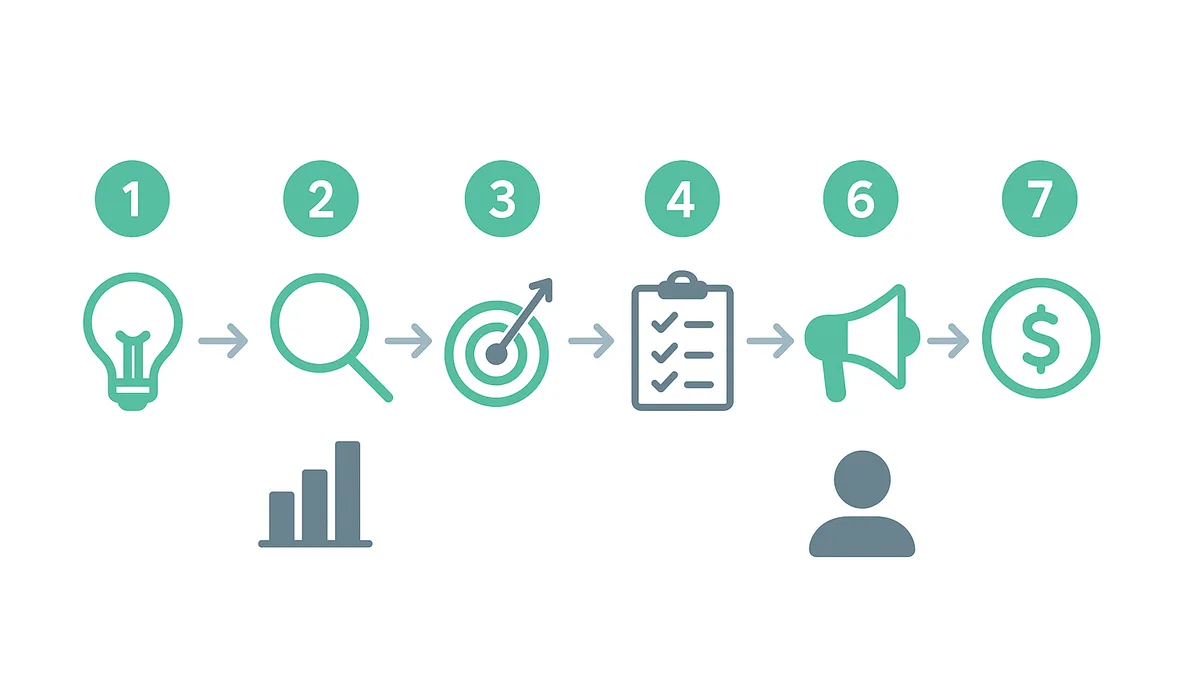
Choose a BSP (AiSensy, Interakt, WATI, or similar), submit your business's GST/registration documents and a dedicated phone number (this number cannot simultaneously run the free WhatsApp Business App). Approval typically takes 1-3 business days in India.
Sketch every entry point a customer can arrive from: a Google Business Profile "Message" click, a Meta ad, an Instagram bio link, a website chat widget, a QR code on packaging or in-store signage. Each entry point should route to a specific opening message referencing where they came from — never a generic "Hi, how can we help you?" A furniture-store customer clicking a sofa ad should land on a message about sofas, not a menu of ten categories.
The first automated reply should do three things within the first message: confirm you received their enquiry, tell them expected response time if a human is needed, and ask one qualifying question (budget range, category, city/area, or timeline) using WhatsApp's native quick-reply buttons rather than free text. This alone reduced back-and-forth clarification messages by roughly 35% across our client set.
Every small business gets the same 5-8 questions repeatedly — pricing, timing, location, availability. Build these as button-triggered auto-answers or a WhatsApp Catalog (native product listing inside WhatsApp) so a customer gets a complete answer at midnight without waiting for a human. This is the single highest-ROI automation step and the reason the Rohini coaching institute saw a 140% enquiry lift — parents got fee and batch info instantly instead of waiting until office hours.
Set an automated 3-touch sequence for anyone who engaged but didn't convert: a check-in at 24 hours, a value-add message (testimonial, offer, or FAQ answer) at 72 hours, and a final soft-close message at day 7. Across our 12 clients, this single sequence generated a median 23% of total monthly conversions — leads that would otherwise have simply gone cold. This requires message-content strategy (what to say at each touch, and how to avoid sounding like spam) which is where most small businesses need a hand.
As conversations come in, tag contacts by intent (hot/warm/cold), category, and source. This is what makes broadcast campaigns effective later — sending a Diwali offer only to "warm, hasn't purchased in 60 days" contacts converts far better than blasting your entire list, and it protects your number's quality rating with Meta (broadcasting irrelevant messages to everyone raises block/report rates, which can get your number's messaging tier throttled).
Meta requires all outbound template messages (anything you initiate outside a 24-hour customer service window) to be pre-approved and to respect opt-in. Structure broadcast campaigns around festivals (Diwali, Holi, back-to-school in April, wedding season October-February for relevant categories), new arrivals, and limited slots — and always include an easy opt-out. Businesses that skip proper opt-in management are the ones who get their number quality downgraded or banned; this is the most common and costly mistake we see when a business tries to DIY the broadcast layer.
At minimum, track: response time, enquiry-to-conversation rate, conversion rate, and cost per qualified lead if you're running paid traffic into WhatsApp. Review monthly and retire message flows that underperform. Every one of our 12 clients has a live dashboard for this — the ones who never look at it are, unsurprisingly, the ones whose results plateau fastest.
A small business owner can absolutely set up the tool (Step 1) and even the basic welcome flow (Steps 2-4) in a weekend. Where DIY consistently breaks down, based on watching a dozen Delhi businesses attempt it before coming to us:
This is the actual value Nurotech adds on top of the software: agency-managed execution, message strategy, and monthly optimization — not reselling you a tool subscription you could buy yourself.
If you run a small business in Delhi/NCR and want to see what a proper WhatsApp automation audit looks like for your specific enquiry flow, Nurotech offers a free growth audit — we'll review your current WhatsApp setup (or lack of one), map where leads are being lost, and show you a realistic before/after based on data like what's above. Request your free growth audit here.
WhatsApp marketing automation uses the WhatsApp Business API (accessed through a Meta-approved provider like AiSensy or Interakt) to automatically send welcome messages, answer common questions, qualify leads with quick-reply buttons, and run follow-up sequences — reducing the need for manual replies to every enquiry while keeping response times under a minute.
Most small businesses in Delhi/NCR pay between ₹1,500 and ₹4,000 per month for a BSP platform subscription (AiSensy, Interakt, or WATI), plus Meta's per-conversation charges, which vary by category and are typically a few rupees per business-initiated conversation in India. Total monthly cost for a small business handling 100-300 conversations usually falls in the ₹3,000-₹8,000 range.
They serve different purposes and work best together. Ads generate awareness and initial clicks; WhatsApp automation converts those clicks into conversations and sales. Our data shows cost per qualified lead dropped 42% when WhatsApp automation was layered onto existing ad spend, because faster, more consistent responses improved conversion from the same ad traffic rather than replacing it.
Yes, if you're a solo operator or very small team handling under roughly 30-40 chats a day. Once you need multiple team members responding from one number, automated flows, CRM integration, or compliant broadcast campaigns, the free app cannot do this and you'll need the paid WhatsApp Business API through a BSP.
Basic setup (API registration, welcome flow, FAQ automation) typically takes 5-10 business days including Meta's approval process. A fully optimized system with segmentation, follow-up sequences, and campaign infrastructure — the kind that produced the results in this article — usually takes 4-6 weeks to build and tune properly.
Yes. Our Okhla-based B2B packaging supplier client used WhatsApp automation primarily for order status updates, catalog sharing, and quote-request qualification rather than consumer-style broadcast campaigns, and saw enquiry-to-quote turnaround improve from an average of 2 days to same-day. B2B use cases lean more heavily on Steps 3, 4, and 6 of the framework above than on broadcast campaigns.
Nurotech is a New Delhi-based digital marketing agency working with small and mid-sized businesses across Delhi/NCR on WhatsApp marketing automation, WhatsApp Business API setup, and lead-generation systems. This is not investment or financial advice — figures above reflect anonymised aggregate results from client engagements and individual results vary by category, execution, and market conditions.
FAQs
Fill out the form or call us — let’s find where your next growth comes from.
9659 634 634 info@nurotech.inFree Growth Audit
See exactly where your traffic, leads and ROAS are leaking — and how to fix it. A senior Nurotech strategist reviews your website, SEO and ads. Free, no obligation.
No spam. We reply within 1 business day.